Back in 2021 I was making a career move from TV to Tech. (This year will be my fourth year at Wibble) I really wanted to learn web design but had no clue where to start. So I spent a lot of time learning everything and anything, and I really didn’t need to learn everything and anything, if I knew what I know now I could have saved myself a lot of time and hassle. In the land of technology there is constantly changes and updates happening. One piece of software today is thee only one to use, the next thing: it’s been bought out by someone else and is dead in the water and everyone has moved on.
I thought good design was mostly about how things looked. Over time, real projects, real clients, and real mistakes taught me otherwise. If I were starting again today, there are several things I’d do differently—and I’m sharing them in case they help someone else avoid the same pitfalls and save time.
Lesson one: It’s all about Figma
You don’t need to learn Adobe XD – in 2021 (which is not that long ago) Adobe XD was the one to use to design websites. When it came into existence it was an industry game changer. Before that, people were using Photoshop to design websites. So when XD came along it was clear and simple to make a web page without the hundreds of options that Photoshop had, but then came Figma, they kept updating and pushing what web design could be. Prototyping became more technical so that clients could see better what the end result would be and developers understood what the designer wanted. I was trying to learn both, they both had similarities and their differences and it ended up like learning to drive on both sides of the road. Figma is now what I use every day, it’s even great for making social posts and is giving Adobe and Canva a run for their money. Lesson – Learn Figma and prototyping.
Lesson two: Grids are important
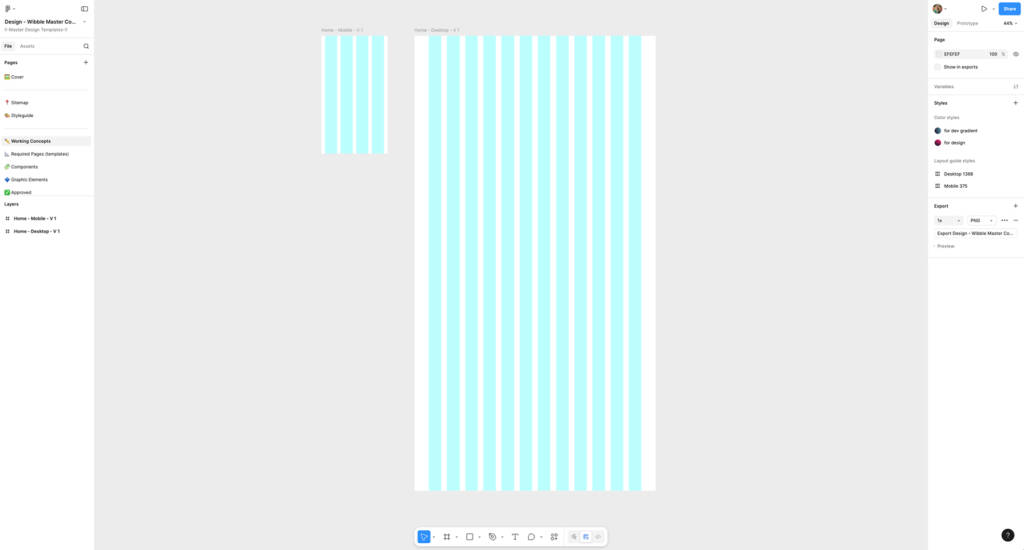
You need grids, woman! I was out designing things with no grids. After all my learning and understanding, no tutorial actually said here is some much-needed structure to your web page layout. This took some time to get used to, but now I couldn’t live without them. It also helps train your eye on how things align, before I would look at the page and not see the issue, now when I look back on my old portfolio, I think “What was I thinking!?”. I see so many tutorials where they talk a lot about fonts and colours and how to use certain parts of Figma but rarely do I see a grid and using them will move you from beginner to a professional designer. Lesson – Use grids and it will make you a better designer.
Lesson three: Use free fonts
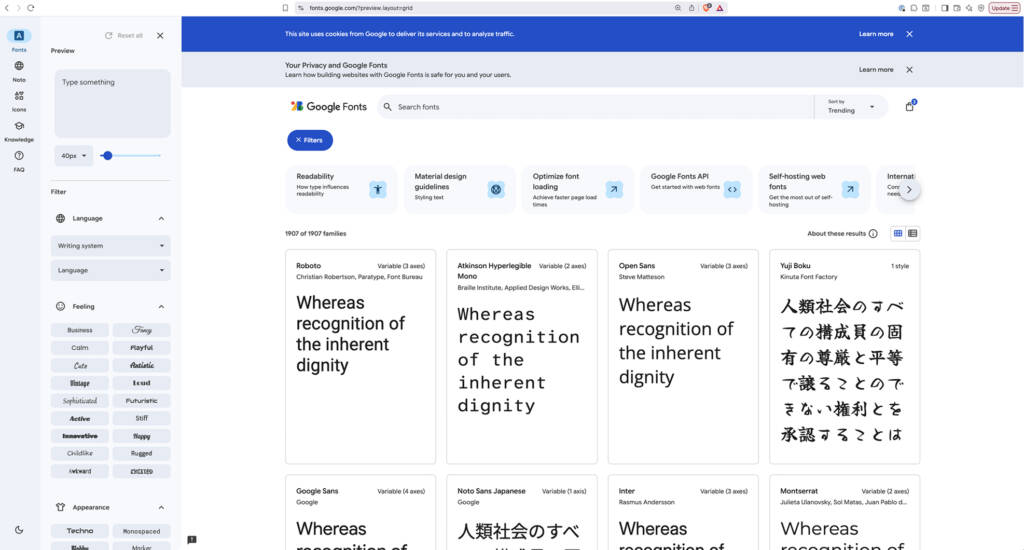
Stick with Google fonts. There are so many amazing fonts out in the world, and brands and businesses don’t even consider the legal side of fonts and if it is royalty-free. Google fonts is the safest bet for everyone when it comes to designing a page. You may have been tempted to get a font from dafont.com, please do not do this. Fonts can have licences that can charge by visitor numbers and it’s hassle you want to avoid, at all costs. Use Google fonts, they are free and have plenty of options to suit your design. Lesson – Stick with Google fonts (same rule for icons as well!).
Lesson four: Accessibility is important
Accessible colours: I had no clue that you couldn’t just pick a pretty colour and away you go. Again, loads of amazing YouTube tutorials and no one speaks about accessibility and colours. Google rightfully rewards websites that support accessibility. That way, the accessible websites we design at Wibble are for everyone and not just a few people. Some people think you can use neon yellow as you would see in a print ad, but you can’t. Websites have their own set of rules and you have to stick to them. Lesson – you cannot use any colour you want
Lesson five: Find a good teacher
There are so many ways to learn these days, I watched a lot of youtube tutorials that were of great help! A big shout out to this creator Daniel Scott, who had lessons on Skillshare on how to use Adobe and Figma, and to this day keeps things up to date with changes. For me, I found his teaching style really helpful to get the basics. Nothing will, of course, give you a better experience than real life and dealing with clients, but getting the basics from him was a massive help at the start!
Other tips to note
Buy a second screen – I cannot believe that while learning I did everything on a laptop screen. In reality, you need to see it on a bigger screen and having another one to look at your notes etc will save you time. I went far too long without one and now I have one in my home and even when I go back to visit my parents. I cannot live without it!
Conclusion
You don’t need to learn everything – this now sounds counterintuitive. I tried to learn Photoshop and more from the Adobe suite, but right now Figma can do so much – a new feature is background remover, which I used to have to use Photoshop to achieve. This is now built into Figma.
Progress over perfection, keep going, there are going to be hard days when you question what you are doing, but keep going its worth it in the end.
FAQs
Wibble, are a leading web design and development studio in Ireland. Here are some FAQs on lessons learned from our web designer Aisling.
Can you get in trouble for not paying for fonts?
Yes, you can get in trouble for not paying for fonts, depending on how the font is licensed and how you use it.
Fonts are usually protected by copyright and come with a license that explains what you’re allowed to do. Using a paid font without buying the proper license (for example, using it commercially, on a website, or in a logo without permission) can lead to legal action, fines, or demands for back payment from the font’s creator or foundry. In some cases, companies have been required to pay settlements or remove materials that used unlicensed fonts.
That said, many fonts are free or open-source and can be used legally if you follow their license terms. To stay safe, always check the font’s license and make sure it covers how you plan to use it (print, web, app, logo, etc.).
Is accessibility important on websites?
Accessibility is important for websites because it ensures everyone, including people with disabilities, can use and understand online content. Accessible websites support users with visual, hearing, motor, or cognitive impairments by working with screen readers, keyboards, captions, and other assistive technologies. This not only makes the web more inclusive and fair, but also improves usability for all users, helps websites reach a wider audience, and can reduce legal and compliance risks.