At Wibble, we specialise in building high-performance WordPress websites. While we do offer a range of web design services, our core expertise lies in crafting custom WordPress solutions. Our focus is on optimising websites in every aspect—from design and accessibility to speed and performance. WordPress powers approximately 40% of the internet. When narrowing that down to sites using a content management system (CMS)—which allows users to easily update content via a user interface—WordPress’s share rises to nearly 60%. Despite these impressive numbers, not all WordPress sites are created equal.
The frontend of a WordPress website—what visitors see and interact with—is defined by the theme. Many sites use off-the-shelf themes purchased from online marketplaces. These themes are typically built to accommodate a wide range of use cases, with countless options and settings. While that flexibility might sound appealing, it often comes at a cost: theme bloat. Overly complex themes can be cumbersome to manage and slow to load.
Some agencies may sell these pre-built themes under the label of “custom” work. At Wibble, we take a different approach: we genuinely design and build custom themes from the ground up, tailored to each client’s specific needs.
A very small amount of our web projects do utilise these bought themes, but this is only in two scenarios: where there is no budget or where there is no time. None of the work in our web design portfolio uses these off-the-shelf themes. All of this work is custom designed and built by Wibble, as bought themes do not reflect the expertise that we have in-house as a leading web design and development studio in Ireland. If you’re interested in learning a little more about the difference between the two, we previously wrote a blog post comparing custom themes to bought themes.
We actually custom build our themes
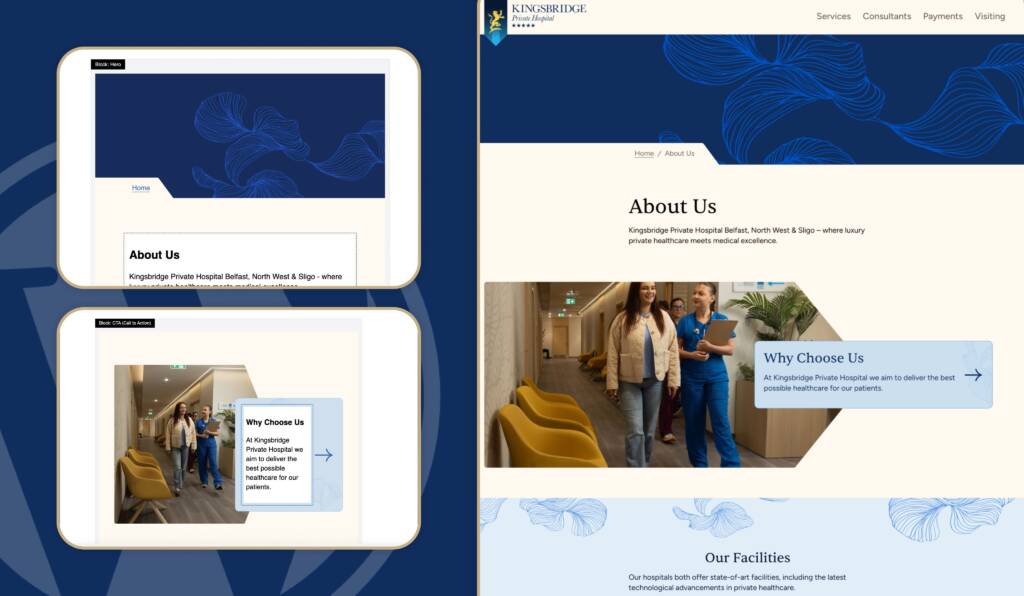
We handle all aspects of theme development in-house. This gives us complete control over the site’s codebase and design. It means we’re not limited by the constraints of a pre-built theme—we can bring any design vision to life, ensuring that the end product is both beautiful and functional.
This custom approach also gives us the freedom to optimise every line of code for performance. Rather than relying on plugins to fix slow websites, we design for speed from the start—minimising unnecessary code, implementing smart asset loading techniques (like lazy loading and preloading), and integrating powerful caching tools such as Cloudflare Global Edge Caching and Varnish Page Caching.
Our standard approach to creating code is: if a line of code isn’t needed in the codebase, it is removed. It might only seem small, but replicate this thousands and thousands of times across a site and you can see large improvements in site performance.
How Wibble builds a website with site speed in focus
To get the best performance, we look at many aspects of a website, including: images, videos, stylesheets, fonts, JavaScript, plugins, DNS & server set up. These things can all play a role in site speed.
Images
Images are often the largest contributors to page weight. We use a combination of strategies to reduce their impact:
- Automated optimisation: Images are compressed automatically during upload, reducing file size without compromising visual quality.
- Modern formats: Where possible, we serve next-gen image formats like WebP or AVIF, which offer superior compression compared to JPEG or PNG.
- Responsive sizing: We serve appropriately sized images based on the user’s device and screen resolution using
srcset and lazy loading techniques.
- Lazy loading: Non-critical images are loaded only when they enter the viewport, improving initial page load times.
For more information on web image formats check out the blog from our lead designer here.
Videos
Videos require careful consideration to avoid negatively affecting performance:
- Self-hosted only when necessary: In most cases, we recommend embedding videos from third-party platforms like Vimeo or YouTube to offload bandwidth and processing.
- Avoid autoplay and looping above-the-fold: These settings can severely impact Core Web Vitals metrics, especially on mobile.
- Defer loading: Videos are only loaded when a user interacts with them, or when they become visible on the page.
- Fallback content: Where possible, we offer a static fallback image or poster frame for background videos, improving perceived performance.
Stylesheets
CSS can block rendering if not handled efficiently:
- Minimal, modular CSS: We use utility-first CSS (like Tailwind) and remove unused styles in production builds through purging, resulting in small and efficient output.
- Efficient bundling: Styles are compiled and bundled to avoid duplication and minimise file size.
- Deferred loading: Where appropriate, we load non-critical styles asynchronously to prioritise content visibility.
Fonts
Web fonts are important for branding, but can introduce delays if not optimised:
- Font subsetting: We remove unused characters and weights to reduce font file sizes.
- Modern formats: We use WOFF2, the most efficient font format widely supported across browsers.
- Preloading and font-display strategies: We preload fonts and apply
font-display: swap to prevent invisible text during loading.
JavaScript
Heavy JavaScript can slow down page loads and block user interaction:
- Minimal JS by default: We write only what’s necessary, using vanilla JS or small libraries instead of large frameworks.
- Deferred and async loading: Scripts are loaded after the main content when appropriate, to avoid blocking rendering.
- Code splitting: Large scripts are broken into smaller chunks that load only when needed.
Plugins
Plugins offer useful functionality but can add significant weight and overhead if overused:
- Only essential plugins: We audit every plugin used in a site build to ensure it’s absolutely necessary.
- Custom functionality when possible: We often write lightweight custom code instead of relying on bulky plugins.
- Performance monitoring: We regularly test plugin impact on loading times and replace or remove underperforming tools.
Server
No amount of frontend optimisation can compensate for a slow server:
- High-performance hosting: We use dedicated WordPress-optimised servers configured for speed and stability.
- Global CDN: Services like Cloudflare provide edge caching, so visitors load your site from the server closest to them geographically.
- Object and page caching: We implement Varnish or Redis caching layers depending on your site’s needs.
- DNS performance: We use fast, reliable DNS providers to reduce lookup times and improve first-byte latency.
What clients can do to help their site speed
Tracking scripts
Tracking and analytics tools are useful for understanding user behaviour, but they can also degrade performance. Each additional tracking script may introduce more network requests, DNS lookups, and JavaScript processing—especially problematic on mobile devices and slower connections. We recommend only using essential tracking tools, and reviewing them periodically to ensure they’re still needed.
Images
While we implement systems to automatically optimise images on the sites we build and host, there are scenarios where clients have full control over image uploads. To maintain performance, images should be appropriately sized and saved in the correct format. For example:
- JPEG is ideal for photos and complex images.
- PNG works best for logos, icons, or images that require transparency.
Uploading large, print-resolution files (e.g., 300 DPI) can significantly slow down a page. Always aim for web-optimised versions.
Videos
Videos should be used strategically. While a looping background video on a homepage can look impressive, it may negatively impact page load times—particularly “above the fold” where Core Web Vitals are most sensitive. When using video, make sure it serves a clear purpose and is implemented in a way that minimises performance impact.
WordPress is slow
Go on the internet, and you will see this statement bandied about the place, constantly. Wibble disagrees entirely with this assertion to its very core. It is simply not true. Yes, some WordPress sites are slow, that is mostly down to the items listed above not being in place.
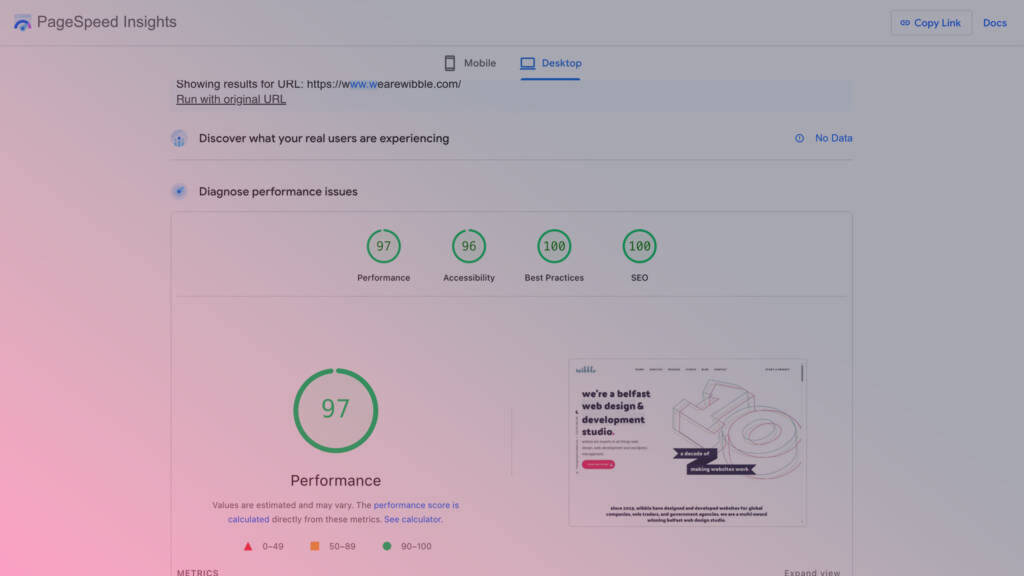
Saying WordPress is slow would be like saying computers are slow. Yes, some computers are slow if they’re not looked after or they’re low-spec and they’re not well maintained. But a correctly developed, maintained, and managed WordPress site can hit top scores in all page speed tests.
Summary to WordPress speed improvements
Wibble takes site speed exceptionally seriously. This article was mostly from a development perspective, but we start these site speed improvements at the design stage, also. Many web design and development agencies think site speed is adding a caching plugin after the site goes live – but a website is not just about looks. As a leading web design agency, we could not disagree with that approach more.
The items listed above are things that we would implement by default without question. There are also other items that we would take on board on a project-by-project basis. It’s not just a one-size-fits-all approach for site speed improvements.
how to make your WordPress website faster
The simple answer is: speak to Wibble. We are a multi award-winning web design and development agency based in Ireland, and we are leaders in custom WordPress development. Part of our remit for custom WordPress development is site speed and a caching plugin installed with default settings is not the answer to your site speed issues.
If you want to work with a web design and development agency that takes site speed seriously, get in contact.