With its second major release in 2025, WordPress 6.9 is set to be released in December and there are a few updates worth knowing about, especially if you build, edit, or maintain WordPress websites regularly. This update isn’t about reinventing the wheel, rather, it’s full of improvements that make day-to-day site management easier and collaboration more effective.
As a studio that offers a range of web design services and custom WordPress web development, we tend to get a little excited when new features roll out – especially the ones that make building and maintaining websites easier for both our clients and our team of web designers and web deveopers. From built-in notes for content feedback to new block options and a few behind-the-scenes performance boosts, this release focuses on the things that actually make a difference.
A More Streamlined Editing Experience
The Site Editor is getting smarter and simpler.
WordPress 6.9 introduces a new content-first editing mode, designed to make the editing experience feel more familiar for non-technical users. Instead of being dropped into a sea of design and layout options, you’ll see a more focused workspace that lets you edit copy, add images, and publish content without distraction.
At Wibble, we think your CMS should make your life easier, not harder. This feature is a big usability win for teams managing content in-house. It reduces confusion, limits design mistakes, and makes it easy to update text or images without waiting for a developer or a member of our support team. It’s perfect for blogs, seasonal content, and any page that needs regular updates.
New and Enhanced Blocks
WordPress 6.9 also expands your design options with several new blocks that we are particularly excited about. These additions make it easier to build visually engaging, functional sites without the need for custom code.
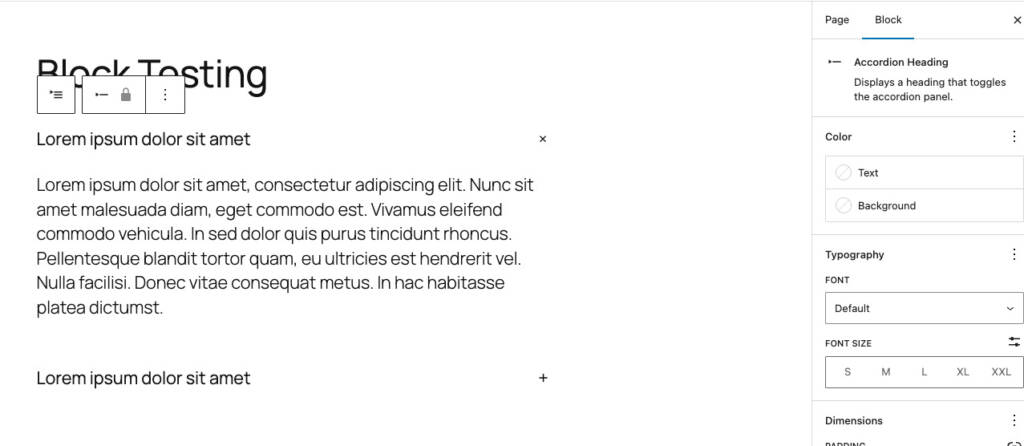
Accordion Block
Previously, many WordPress users relied on the Details block for accordion functionality. Now, WordPress 6.9 introduces a dedicated Accordion block.
It’s fully accessible, supports nested blocks, and is simple to implement. We love this for an FAQ’s section, product pages, or any content where collapsing and expanding sections improves readability. An accordion helps keeps a page clean and user-friendly for site visitors.
A screenshot of the new Accordion Block coming to WordPress 6.9
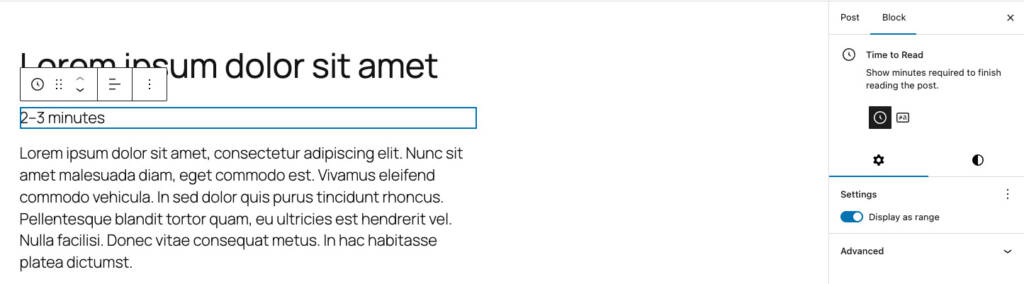
Time to Read Block
The Time to Read block is another small addition that makes a surprisingly big difference. It lets you display either the estimated reading time or the word count for posts and pages.
At Wibble, we’ve previously used custom code on client blogs, and our own web design blog pages, to show read time. With this new default block, we can achieve the same functionality more easily, while still being able to slightly tweak the design for custom sites. It faster to implement, easier to maintain, and ensures a consistent, professional experience across projects.
A screenshot of the new Time to Read Block coming to WordPress 6.9
Enhanced Design Options for Paragraph and Heading Blocks
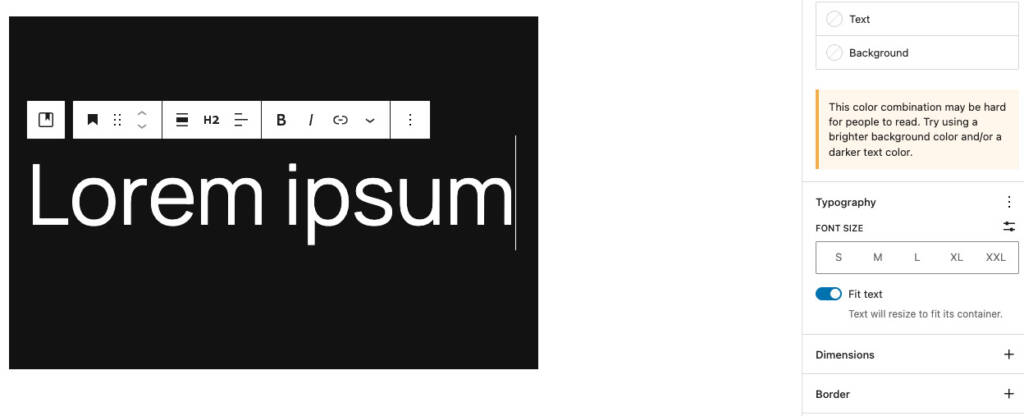
WordPress 6.9 adds a “Fit Text” formatting option, sometimes called Stretchy Type, for paragraph and heading blocks. This automatically scales text to fill its container, which is perfect for hero sections or banner-style headings.
I see this as a simple but powerful tool for designers, especially. It lets you create bold, responsive typography that looks great on any device, all without custom CSS.
There are other key block updates in 6.9, but these are the ones we find ourselves using most frequently in client projects.
A screenshot of the new enhanced Design Options coming to WordPress 6.9
Smarter Template Management
Switching or editing templates in previous versions could feel restrictive or risky if you’d customised your theme.
This release improves this with enhanced template management, letting you create multiple templates per slug, save drafts, and preserve custom templates when switching themes.
We don’t tend to use templates for fully custom builds, but this is a handy improvement for pre-built themes we work with occasionally. It makes it easier for tweaks and experimenting with different styles safer, without impacting the live site.
Block-Level Comments
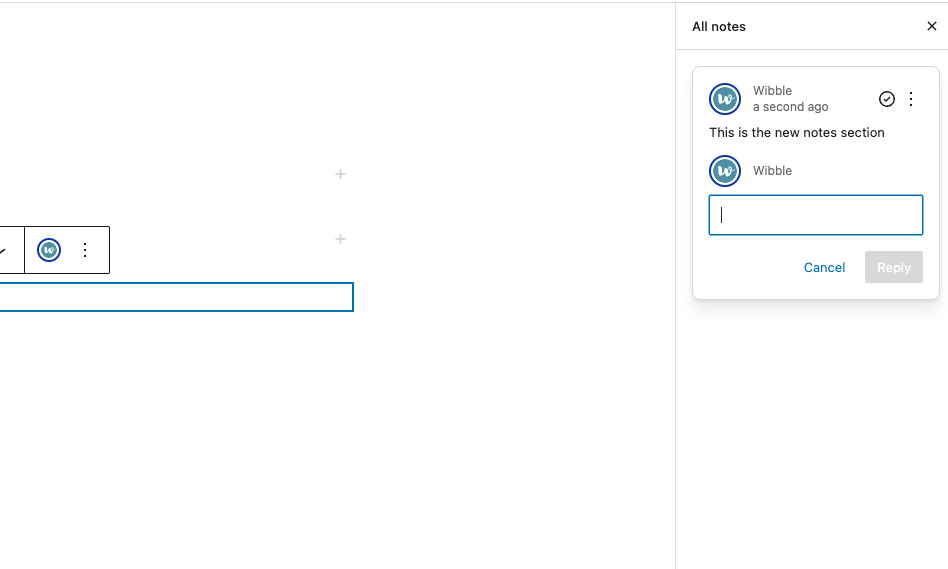
This is probably one of the more powerful tools for teams and agencies, block-level commenting. This allows team members or clients to leave feedback directly on specific blocks within the editor.
Instead of sending long email threads back and forth, trying to explain which paragraph or image needs updating, clients can pin their feedback exactly where the issue lies.
This helps our support team pinpoint the exact issue immediately, leading to faster updates, smoother collaboration, and fewer back-and-forths — making the process far more efficient.
A screenshot of the new editor Notes tool coming to WordPress 6.9
The Command Palette
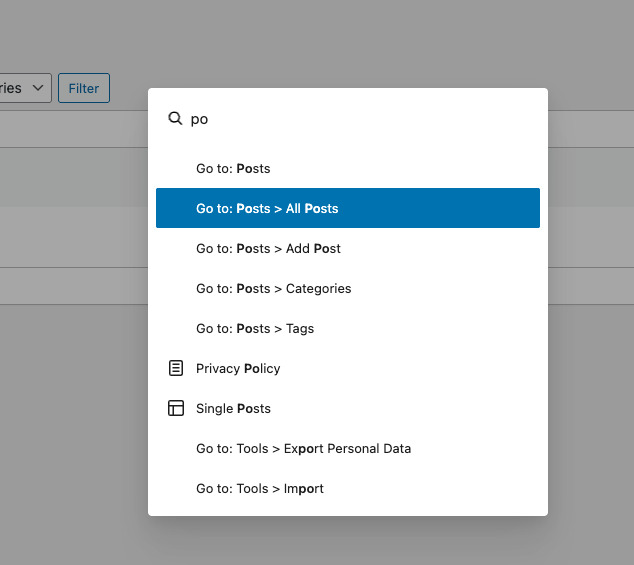
Now available everywhere across WordPress (accessed with Ctrl + K or Cmd + K), not just the site editor!
You can jump between settings, pages, and tools in seconds – small, but a real productivity win for teams like ours managing multiple sites. At Wibble, where we juggle many builds and clients, shaving seconds off repetitive tasks adds up fast. This feature perfectly reflects our focus on efficient builds and smooth backend workflows.
A screenshot of the new Command Palette which is accessible everywhere across WordPress
Developer-Focused Upgrades, Performance, and Reliability
6.9 offers great new features but it is also a solid step forward towards a faster, more stable and secure platform. For developers, it brings a host of improved APIs that make customisation and interactivity smoother.
Abilities API: granular control over what different user roles can do. Makes it easier to manage permissions, especially for custom post types, blocks, or admin tasks.
Interactivity API: Simplifies front-end dynamic interactions without heavy JavaScript frameworks.
Performance Enhancements: Client-side navigation, improved caching, and faster page transitions reduce load times and improve user experience.
At the same time, WordPress 6.9 builds on the performance and security of recent releases. Expect more consistent behaviour between the classic editor, block editor, and site editor, along with better backward compatibility for themes and plugins. For site owners, this means fewer plugin conflicts, smoother updates, and more reliable functionality.
At Wibble, we focus on performance, scalability, and stability from day one. With our support packages, these updates take the stress of maintenance away from the client. We handle updates, plugin conflicts, and security so you don’t have to. That way, you can focus entirely the content, and growing your business, while we make sure your site runs efficiently and securely.
How to Prepare for WordPress 6.9
Before the release of 6.9, it is worth making sure your site is ready to take full advantage of all these new features.
If you aren’t utilising the fully managed Wibble Support Package to handle all these updates, we’ve created a small checklist below to help ease the transition if you need to do it on your own:
Test updates on a staging site first Don’t update directly on a live site – especially major releases. Ideally, use a staging environment.
Check plugin and theme compatibility Make sure each plugin is ready for WordPress 6.9 – outdated ones can cause breakages.
Back up everything Use your hosting backup tool or a plugin like UpdraftPlus. Always backup files and the database.
Keep PHP up to date WordPress 6.9 will perform best on modern versions (PHP 8.2). Ask your host if you’re unsure.
We’re passionate about keeping our clients’ WordPress sites running smoothly, and the upcoming 6.9 release gives us even more tools to do just that.
If you’d like help testing your site, checking plugin compatibility, or getting a head start on planning for WordPress 6.9, get in touch – our team can help guide you through a seamless and stress free update.
Frequently asked questions about WordPress
Wibble are known as the go-to agency for all things WordPress and custom web development. We have put together a number of FAQs about all things WordPress.
What expertise does Wibble specialise in?
Wibble are a small but highly qualified team of web design and web development experts. We have a team made up of digital designers, web developers, support agents and project managers to ensure web design projects are planned and run by our hugely talented team of Wibblers.
What CMS do you work in?
We only work in one CMS – WordPress. We are known as web design and web development experts in WordPress and specialise in the maintenance and development of the popular CMS. We have build custom API integrations, e-commerce solutions, CRM integrations and thousands of other functions all within the WordPress framework.
How do I contact support?
Our dedicated web support team are amazing. Clients rave about the web support that they receive from this team of legends. The best to avail of our support is to email support@wearewibble.com.
To contact our Wibble Belfast office, go to our contact page.